1. Overview & Chart Navigation
Select chart type, test item, and value range to update the chart and statistics instantly. Clicking any parameter in the Tests (Cpk) sidebar jumps directly to that test, with failing items highlighted in red.

- Chart Types: Histogram · Trend · Box Plot · Scatter Plot · BIN Pareto · CDF / Probability (selected test remains active across types)
- Value Ranges: Auto (P1~P99) · Full (Min~Max) · Spec Limits · Manual...
- Filter / Find: Ctrl + F to search by test name or test number
- Right-click Point: Pins part info card with direct links to Table · Record · Wafer
2. Histogram — Distribution & Cpk
Displays measurement distributions with Gaussian fit curves, mean, ±σ, and spec limits (LL/HL). Out-of-spec samples are highlighted in red bars.

3. Trend — Time-Series & Drift Tracking
Plots measurement values in the exact chronological sequence of die testing to detect drifts, thermal warm-up, and sudden outliers.

- Sites: Per-site color coding · Fails: Highlight out-of-spec samples · Gaps: Break lines across idle periods · MovAvg: Rolling moving average
- WECO: Western Electric control chart rules (R1~R4). Click to cycle: Off → 2x → 3x → 1x. For multi-site setups with natural channel spread, 2x or 3x avoids false alarms.
- DPAT (trend): Overlays adaptive Part Average Testing bands recalculated per wafer (blue), site (orange), or lot (purple).
- Double-click after zooming with the mouse wheel resets back to the initial view.
4. Box Plot — Quartiles & Outliers
Presents the 5-number summary: median, interquartile range (IQR), whiskers, and outliers on a single unified canvas.

The statistics panel displays Median, Q1, Q3, IQR, Whisker bounds, and Outlier counts. Right-click any outlier dot to pinpoint the die directly on the Wafer Map.
5. Scatter / Correlation Analysis / 3D
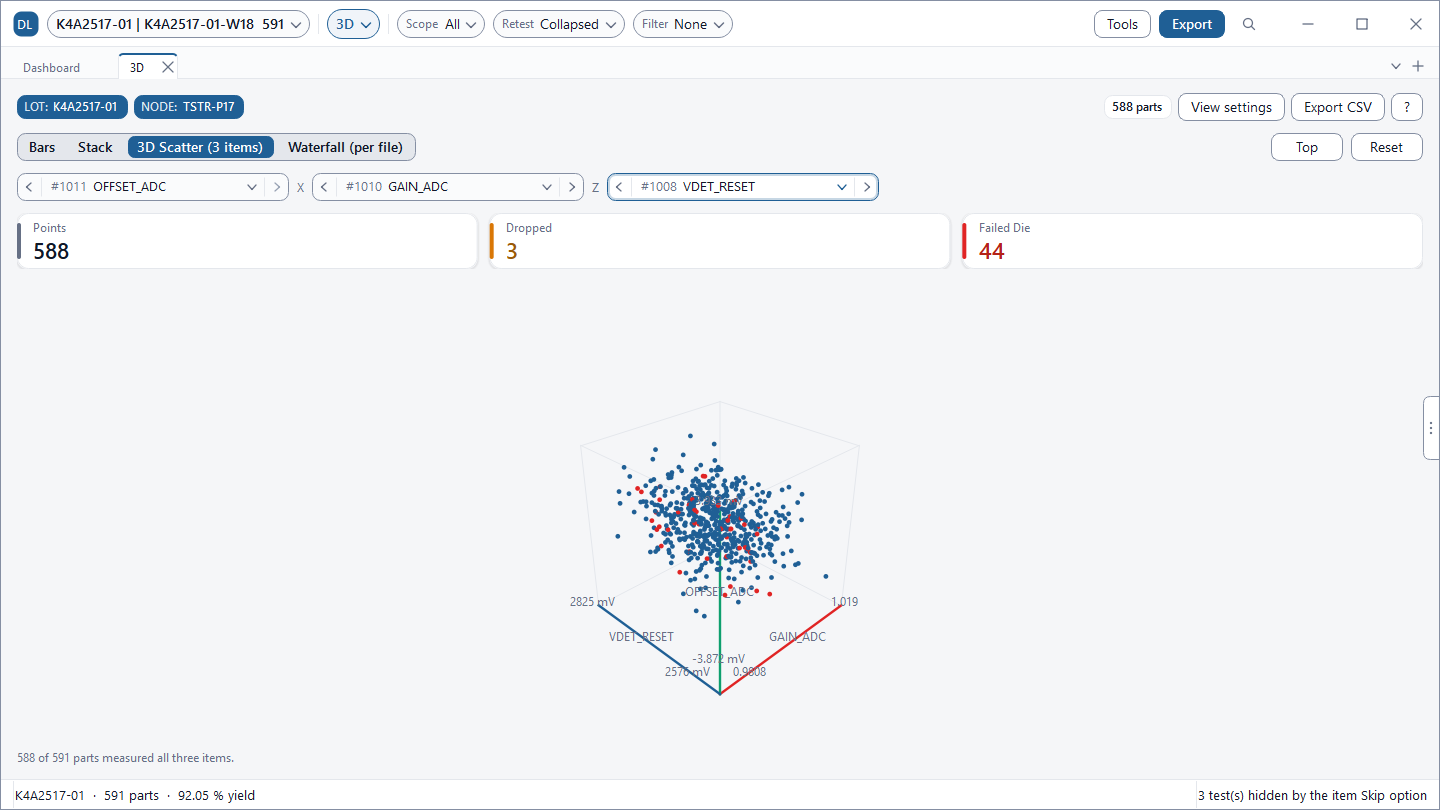
Examine bivariate relationships with regression lines, and inspect all pairwise correlation coefficients across the entire datalog via an interactive heatmap.
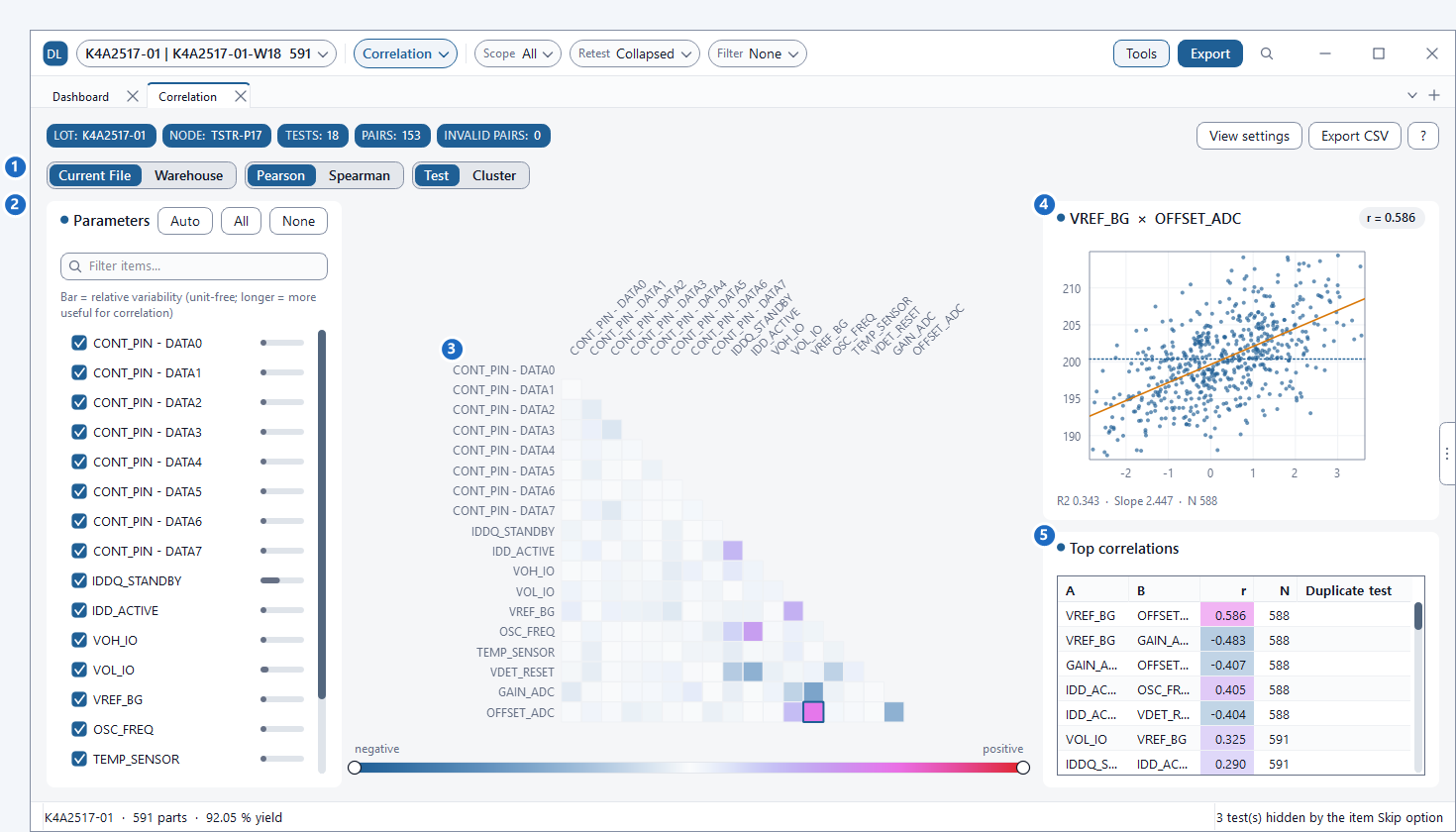
- Pearson: Linear relationship strength · Spearman: Rank-based (robust against extreme outliers)
- Pairs with |r| ≥ 0.95 are flagged as Duplicate test, identifying candidates for Test Time Optimization (TTO).
6. BIN Pareto — Defect Ranking
Ranks failing BINs by occurrence count alongside cumulative contribution curves. No specific test parameter needs to be selected.

The top 15 BINs are displayed individually, with remaining ones grouped into an Others bar. Cross-reference top fail modes with the Wafer Map BIN tab to inspect spatial defect clusters.
7. CDF / Probability — Distribution Tails
Plots the cumulative proportion of samples falling below each measurement threshold. The dashed curve represents the theoretical normal distribution, exposing tail anomalies and skewness where curves diverge.
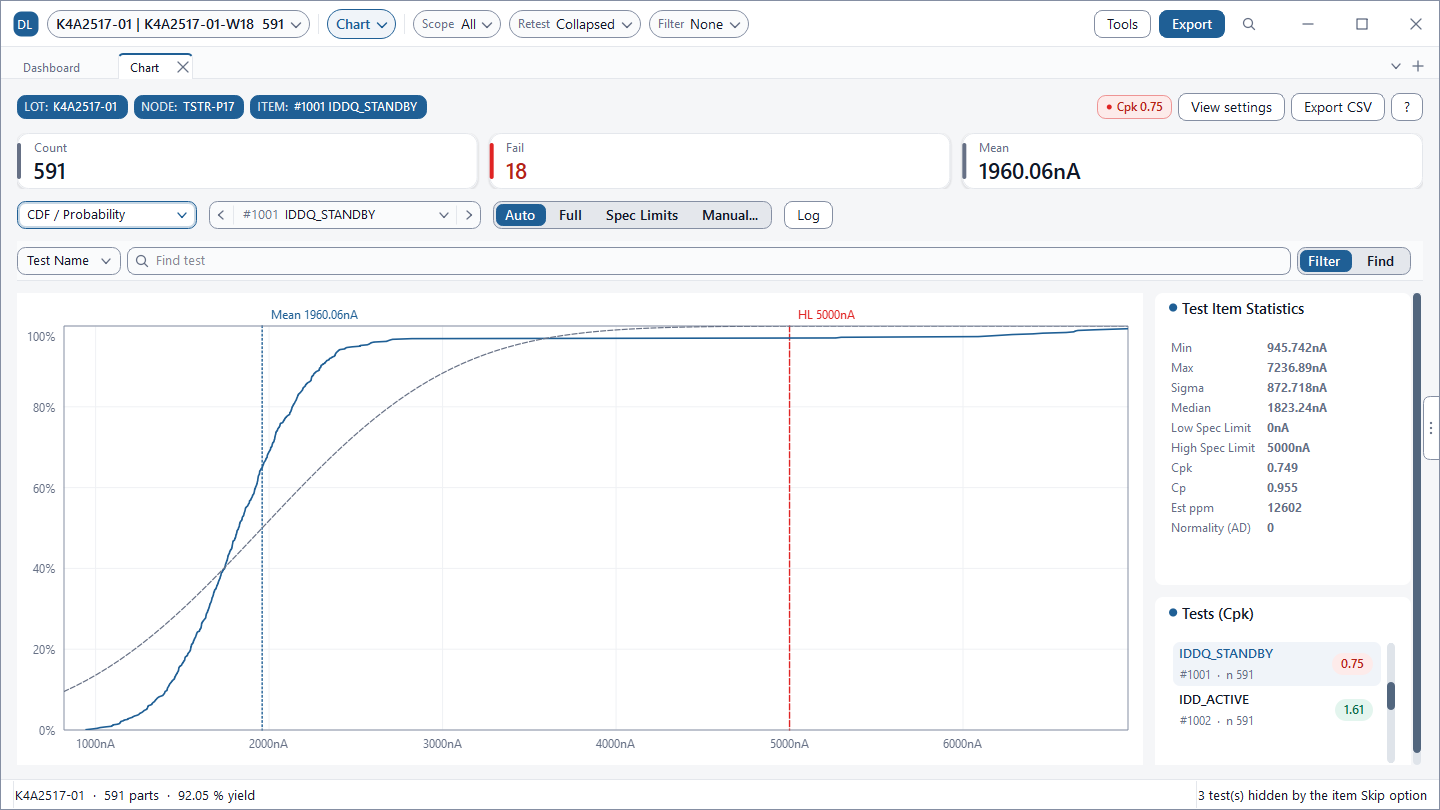
Subtle outlier dies that are virtually invisible on low-frequency histogram bars stand out clearly at the extremes of the CDF S-curve.
8. Group Analysis (ANOVA) & Multi-Site Delta
Compare variances across sites, temperatures, lots, or tester revisions, and diagnose hardware imbalances between parallel test channels.
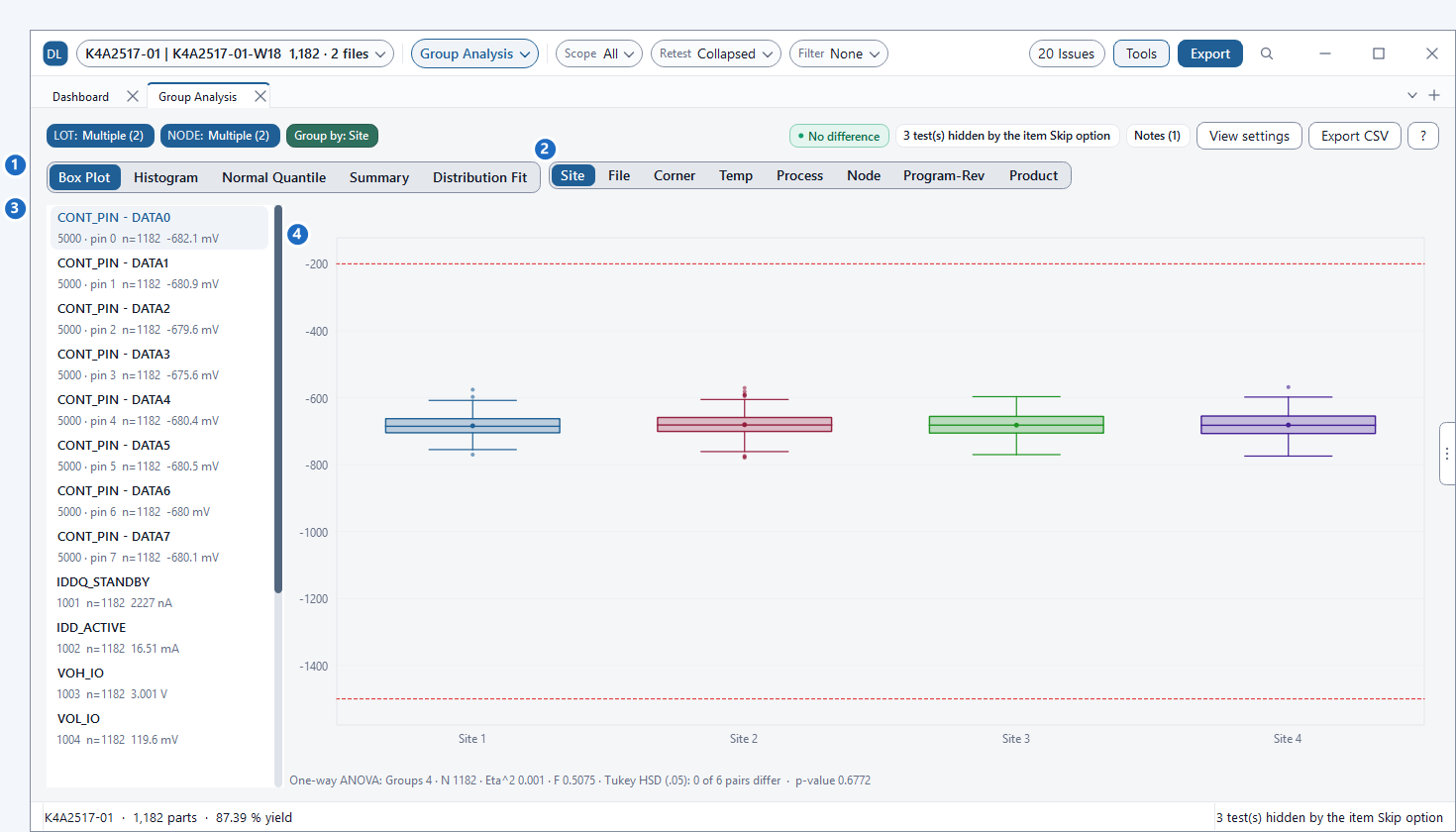
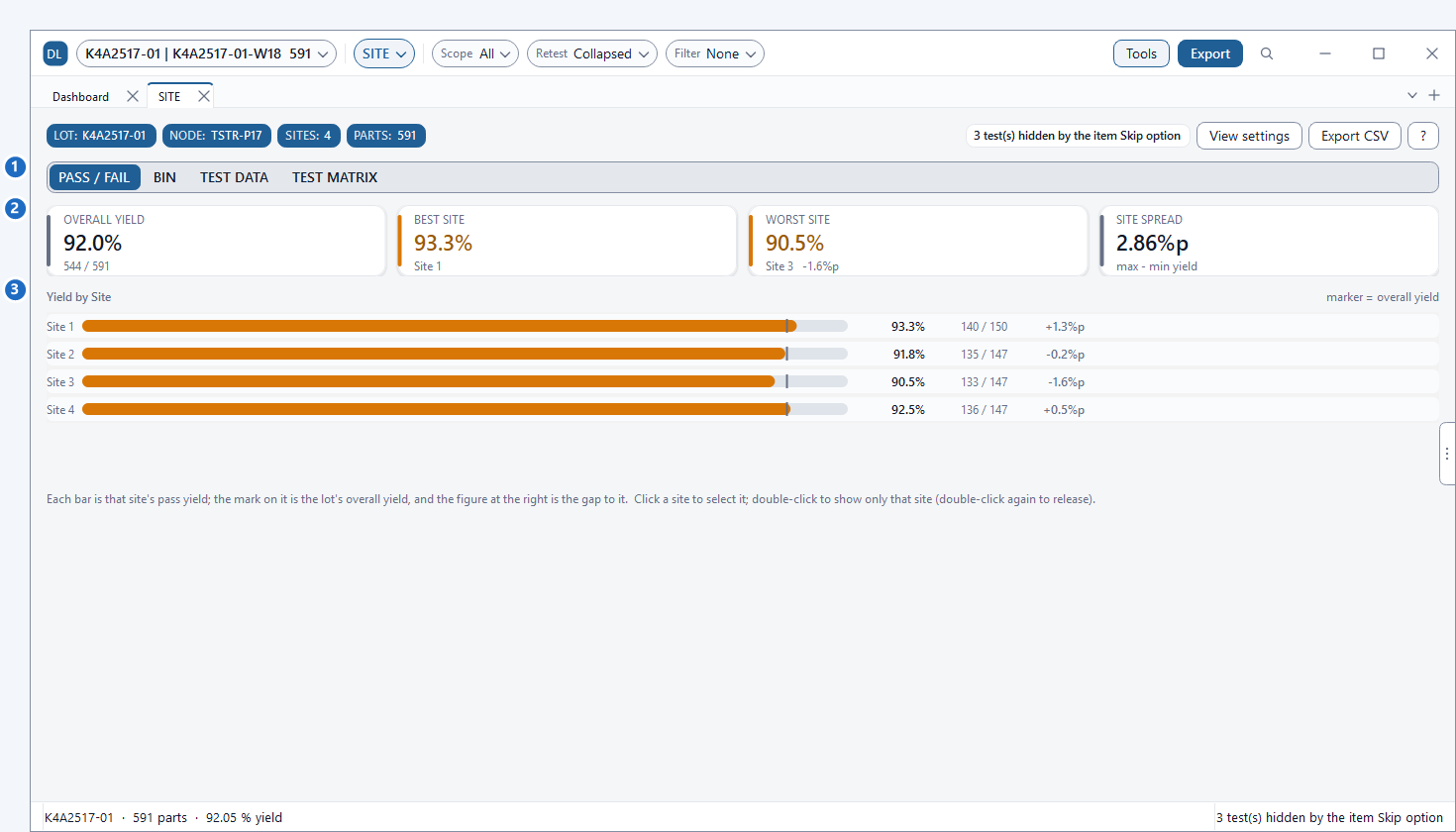
- When p < 0.05 and Eta² ≥ 0.05, the variance reflects an actionable group difference. (With large sample sizes, p-values can be tiny even for negligible deltas.)
- STDF Site 255 conventions (representing ALL SITE summaries) are handled intelligently via the
SITE 255 on part recordssetting in Main Options.
9. Export & Reporting
Export CSV saves raw data and statistics of the active chart, while the Report Generator incorporates selected chart snapshots into formal reports. To overlay distributions from multiple files, use the Overlay tab in the Compare view.
Inspect Your STDF Data with DLOG Charts Today
Enjoy unrestricted access to all features with a free 6-month evaluation license.
Download DLOG Free for 6 Months →